AI assistants are getting remarkably good at answering questions. But what if you could ask one to actually solve a problem for you?
Rather than simply explaining how to cancel a subscription, dispute a charge, or negotiate a bill, Pine AI says its agent can make the call, send the email, and follow up until the task is resolved. Sounds impressive, but also raises a few obvious questions: Can you trust an AI to handle real-world tasks? Does it deliver on its promises, and is it worth paying for?
In our Pine AI review, we look at what the service can help you with, how much it costs, what users say about it, and where it may fall short. You’ll also find out how Settlemate can take busywork off your plate and help you recover money in more ways.
What is Pine AI?
Pine AI is an AI assistant and autonomous agent designed to handle various real-world tasks for you. Unlike a conventional chatbot that mainly answers questions or provides instructions, Pine claims it can perform the following activities:
- Making phone calls
- Sending emails
- Navigating websites
- Dealing with customer service
- Following up until the task is completed
It’s not a traditional personal-finance app, but rather a general-purpose assistant for everyday admin. You describe a problem by typing or speaking, and Pine says it can plan and carry out the steps needed to resolve it.
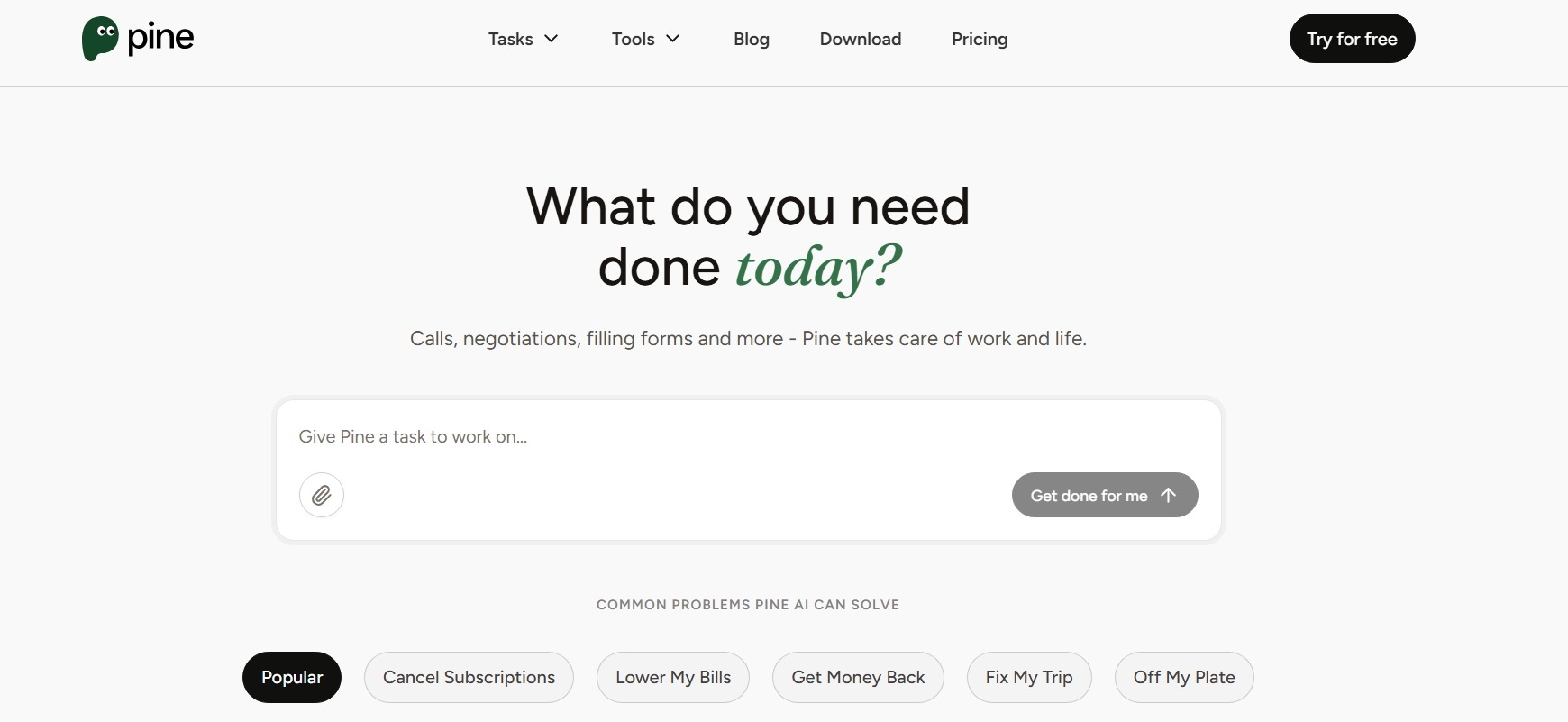
Some of the tasks Pine can handle for you include:
- Bill negotiation
- Subscription cancellation
- Refund requests
- Disputes and complaints
- Booking arrangements
- Late delivery compensation requests
- Flight compensation and refund requests
Pine also offers specialized tools for landlords, tenants, Airbnb hosts and guests, and others. These tools collect relevant details and generate text you can copy and paste where necessary. Examples include:
- Rent increase notice
- Security deposit return
- Vacation notice
- Review generator
- Booking confirmation generator
Pine claims a 93% negotiation success rate, with 270 minutes and over $300 saved per user per year on average. These figures are reported by Pine itself, though, so they shouldn’t be treated as independently reviewed results.
Is Pine AI legit?
The available evidence suggests that Pine AI is a real, legitimate company. It has identifiable leadership, active apps on both major app stores, published legal and privacy documentation, and a publicly listed corporate presence.
Here are the main legitimacy signals:
One detail worth noting is that Pine uses multiple corporate names across its legal and app store materials. Its current terms refer to 19Pine Pte. Ltd. and affiliates, while the apps identify 19Pine Corp. as the developer.
This isn’t necessarily a cause for concern, as companies often use different legal entities across jurisdictions. Still, it's worth understanding which entity operates the service and is responsible for your data and transactions.
19 Pine AI review: Key aspects to consider for bill negotiation
You should review several key aspects of Pine AI’s service before deciding if it's worth your trust and money. To help you with that, we’ll focus on:
- How Pine AI works
- What it costs
- How safe Pine AI is
- How much control you retain
- What Pine AI reviews say
How does Pine AI work?
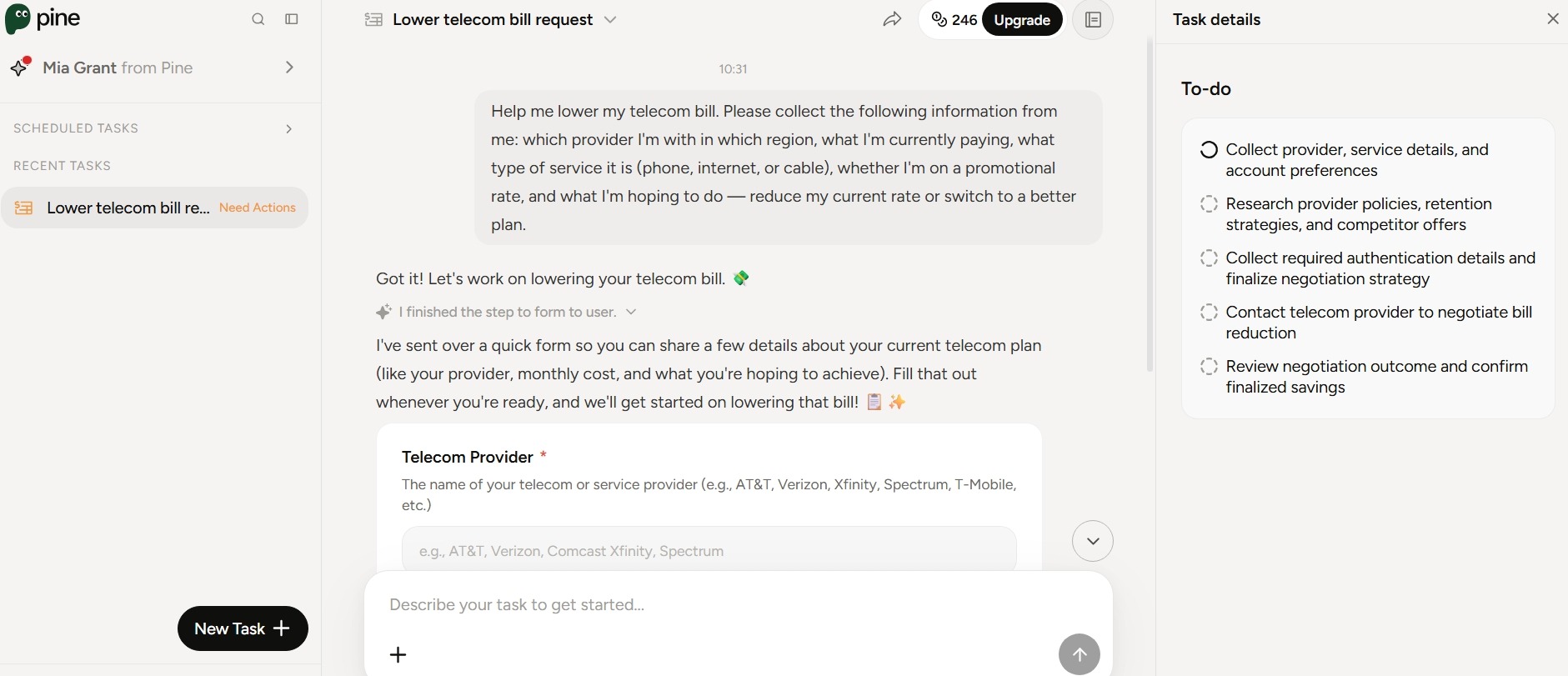
If you’ve used ChatGPT or another AI assistant, Pine AI will feel familiar. You sign up with your email address, tell Pine what you need help with, and interact with it through a straightforward chat-style interface.
During setup, you can choose the voice and persona of the assistant that will handle tasks for you.
The exact process depends on what you need help with. For bill-related requests, it generally works like this:
- Tell Pine what you need: For example, you can ask it to lower your internet bill or deal with a problematic charge. You can chat with it, upload a bill, or link relevant accounts.
- Provide additional information: Pine creates a form so you can share the details about your plan and what you hope to achieve.
- Pine researches your situation: It reviews your bill and looks into provider pricing, promotions, policies, and potential alternatives.
- Pine takes action: The AI agent can call the provider, navigate automated phone systems, and reach the appropriate department. If the company requires identity verification, Pine can coordinate a three-way call for you to confirm identity verbally.
- Follow-up and resolution: If the first attempt doesn’t resolve the issue, Pine follows up until resolution. It reports back with the outcome and presents the next steps, if any.
What does Pine AI cost?
Pine AI has a free plan as well as paid plans for personal, household, and business use. Plans are available on a monthly basis or as an annual subscription, which comes with a 30% discount.
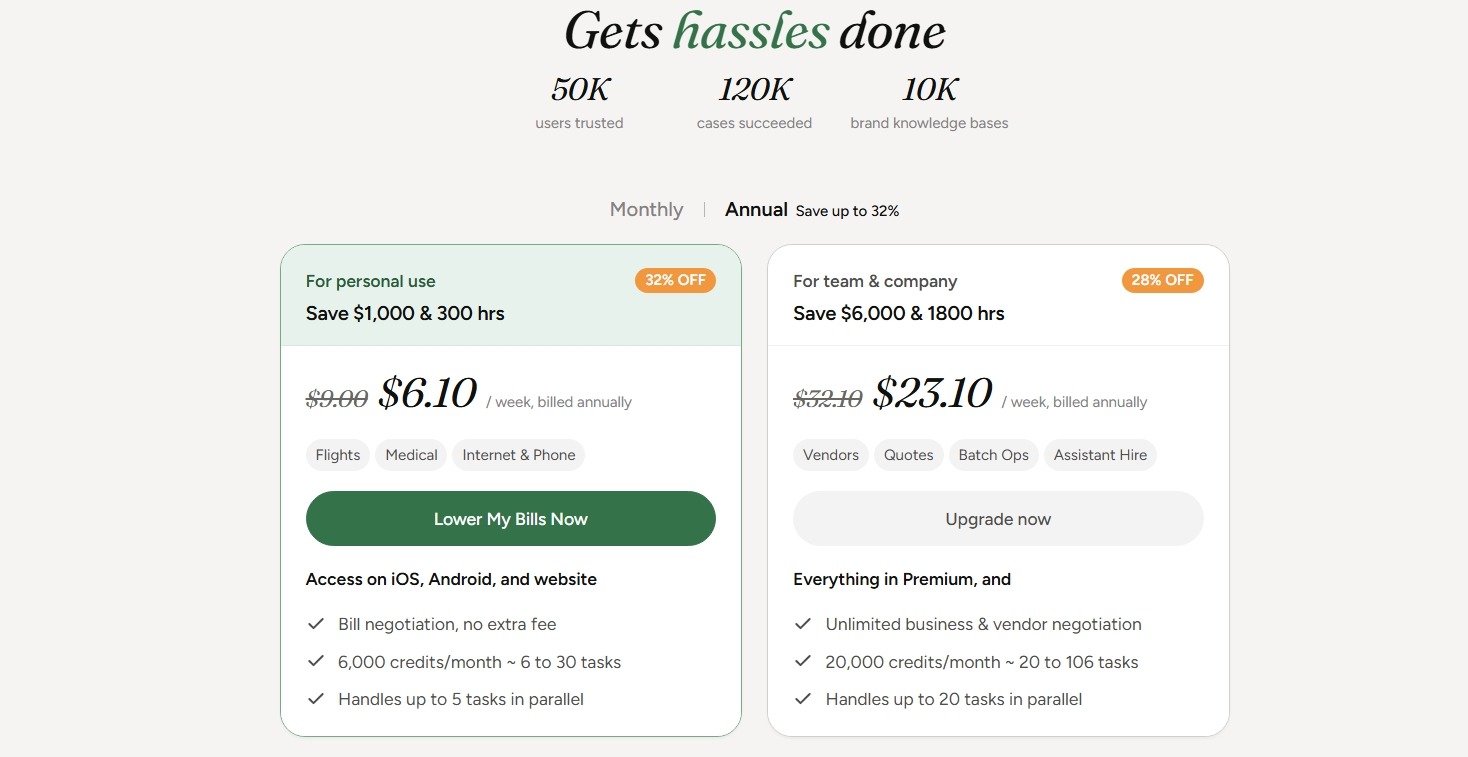
Before comparing the plans, it’s important to understand Pine’s credit system. All conversations with your assistant and the tasks it performs may consume credits. The amount used depends on the task.
There’s one important exception to the credit system: bill negotiation is charged differently depending on your plan:
- On the Free and Pro Monthly plans, bill negotiation doesn’t use credits. Instead, Pine takes a percentage of the savings it secures.
- On the Pro Annual, Premium Monthly and Annual, and Enterprise Monthly and Annual plans, bill negotiation uses credits and carries no additional percentage-based fee.
The free plan lets you try Pine without immediately paying for a subscription. It includes 200 credits upon signup and 50 free credits per day. Unused daily credits can accumulate up to 500.
For personal and household use, Pine AI’s paid plans are priced as follows:
Pine offers custom enterprise plans for businesses with specific workflow or team requirements. You can also choose one of the three business plan options:
How safe is Pine AI to use?
Pine AI handles tasks that involve financial information, account credentials, payment details, personal documents, and other sensitive data, so data safety is crucial.
The company says it follows a data-minimization and purpose limitation approach, meaning it aims to collect and retain only the information necessary to provide its services. These are the main protections Pine has disclosed:
- Encryption in transit and at rest
- Restricted employee access
- No sale of personal data
- Data not used to train its model
- Independent security testing
- Dedicated security monitoring team
Pine also says it handles sensitive information, such as credentials and financial data, temporarily in secure, time-limited environments and erases it when the job is complete.
How much control do you retain over Pine AI?
Pine handles tasks for you, but that doesn’t mean you have to hand over unlimited control.
There are several ways you remain involved in the process:
- You decide what Pine should do: You give the agent the task and provide relevant information.
- You approve important actions: Pine informs you of available options and waits for your approval before accepting certain outcomes.
- You set desired outcomes: You can tell Pine what you want, what alternatives are acceptable, and what requires your approval.
- You are responsible for the information you provide: Pine doesn’t verify the accuracy of the information you provide. You guarantee the accuracy and legality of the information you share.
Pine isn’t completely hands-off from the user’s perspective, but it doesn't require you to supervise every step either. It aims to strike a balance between delegation and control.
What do Pine AI reviews say?
As of November 2026, Trustpilot gives Pine AI a 2.8/5 score from just ten reviews, while App Store review data collected by AppsHunter shows a much stronger 4.5/5 rating from 148 ratings and 48 written reviews.
Positive reviews focus on Pine’s ability to take tedious tasks off the user’s hands and, in some cases, deliver meaningful results, such as:
- Finding hidden fees on a bill
- Resolving a complicated building-permit problem
- Solving an insurance claim and payment issue
Users also like the clean interface and ease of use. One Pine AI review compared it favorably to ChatGPT because it carried out tasks the user wished a chatbot could do:
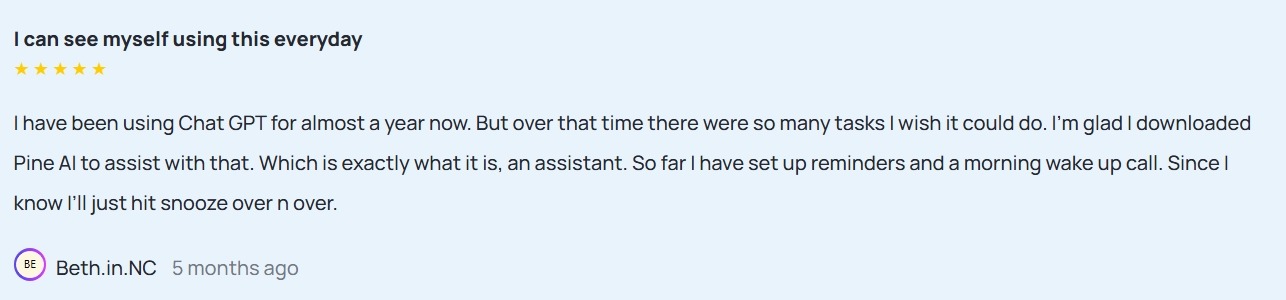
The negative Pine AI reviews are consistent in the problems they identify:
- The need for substantial user involvement
- Fragmented follow-up process
- Unjustifiably high cost
- Confusing credit system
What stands out is that a user can be impressed by what Pine can accomplish and still feel that the subscription costs too much to justify the benefit.
The verdict: Is Pine AI worth using?
Pine AI can be impressive, but its value depends on the task at hand, the amount of oversight required, and how often you’ll use it:
Pine may be useful when you know what needs to be done but don't want to spend time doing it yourself. However, getting a task completed isn't the same as knowing which approach will save you the most money.
Settlemate takes a more strategic path, helping you identify the most effective savings opportunities for each bill and choose how much support you need to act on them.
Find the best way to save with Settlemate
Every recurring bill has its own logic. Instead of applying the same generic strategy to every expense, Settlemate works out which savings approach makes the most sense for each bill. Here’s how that works across a few common expense categories:
- Internet and wireless: Settlemate looks for retention offers, better-fitting plans, and unnecessary add-ons or fees you can drop. If your provider won’t budge, it also helps you explore switching options.
- Utilities: Settlemate checks for the right rate plan, applicable assistance programs, and billing errors worth disputing. That's important because utility costs are often regulated, making plan optimization and error correction more effective than traditional negotiation.
- Car insurance: Settlemate compares available discounts, deductible options, and competing quotes, since lowering a premium usually means adjusting the policy rather than negotiating the price directly.
You also decide how involved you want to be. Work through it yourself with Settlemate’s guidance, or choose a more hands-on level of support and let Settlemate help manage the process.
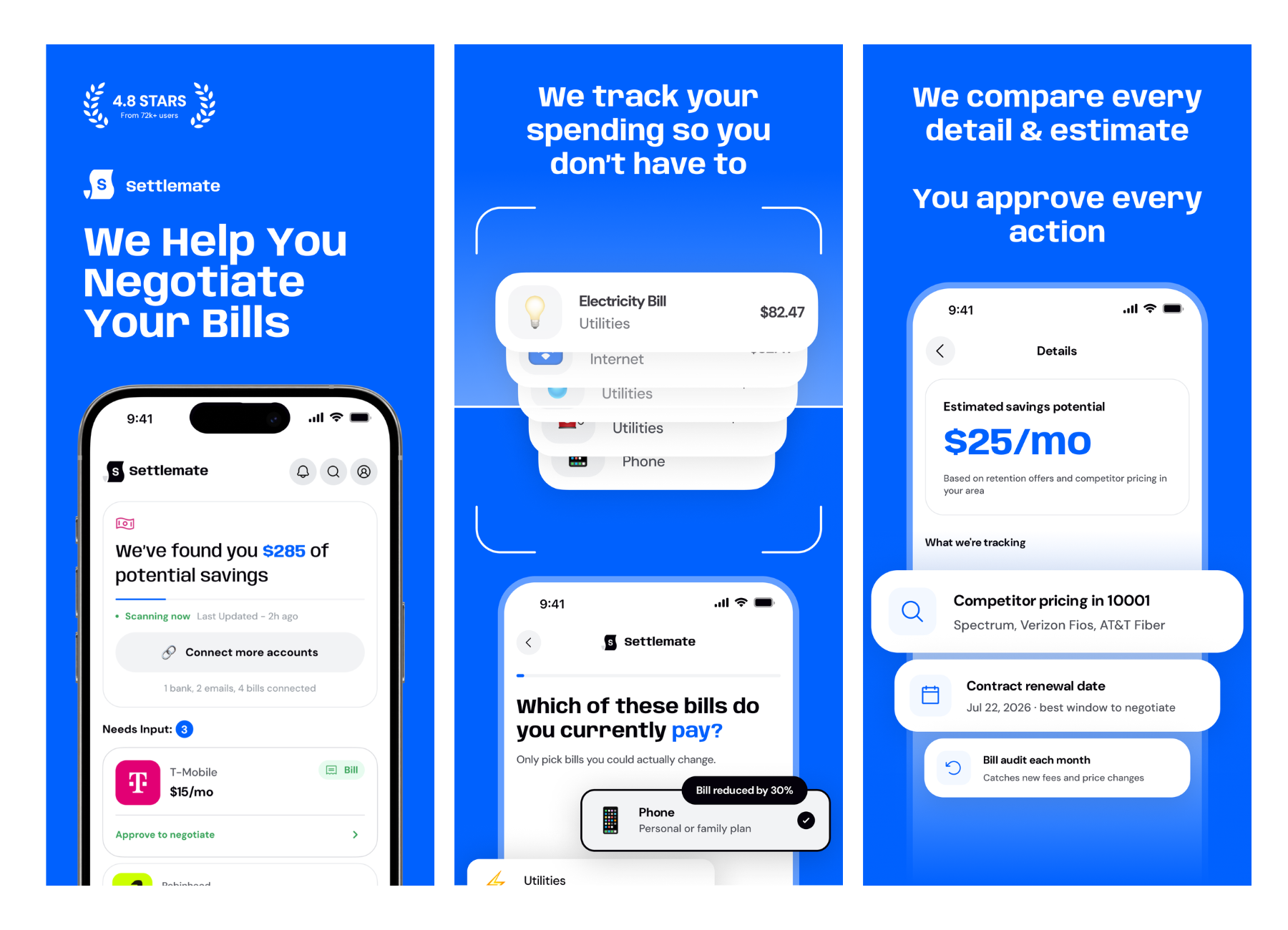
Download the app to try Settlemate’s Bill Negotiation feature and stop guessing which savings strategies are worth pursuing for each bill.
There’s little risk in trying it thanks to our Value Guarantee. If your membership doesn't deliver enough verified value to cover what you paid during your first 12 months, we'll extend your membership at no additional cost until it does.
You may also like…
There are plenty of services that promise to take tedious financial and everyday tasks off your plate. Here are some other platforms we’ve reviewed to help you find what suits you best: